
Live demo, no sign-up
Try a real team fitness challenge in your browser.
Step into Harborview Wellness Co., a fictional example of a company four weeks into an eight-week step challenge. Open it as the organizer who runs it or as a participant taking part.
- Week 4 of an 8-week challenge
- 16 fictional participants
- Resets every night
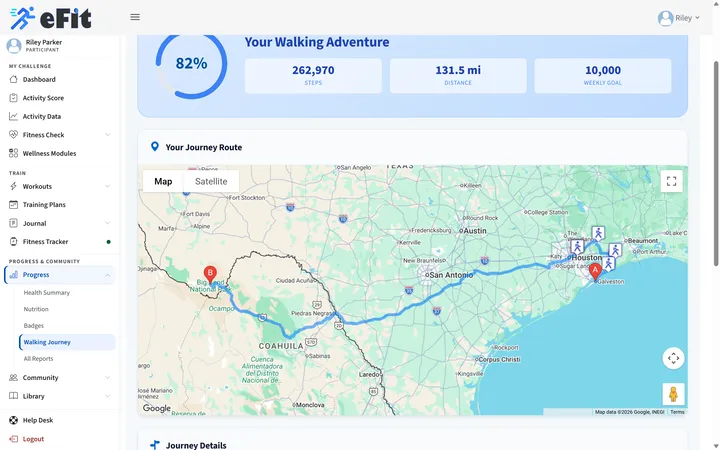 Harborview Office to Big Bend National Park, 160 miles
Fall Into Fitness Step Challenge
Two ways to look around Harborview Wellness Co.
Start with the organizer dashboard, then use Switch role in the demo bar to see what employees see.
-
For the person running it
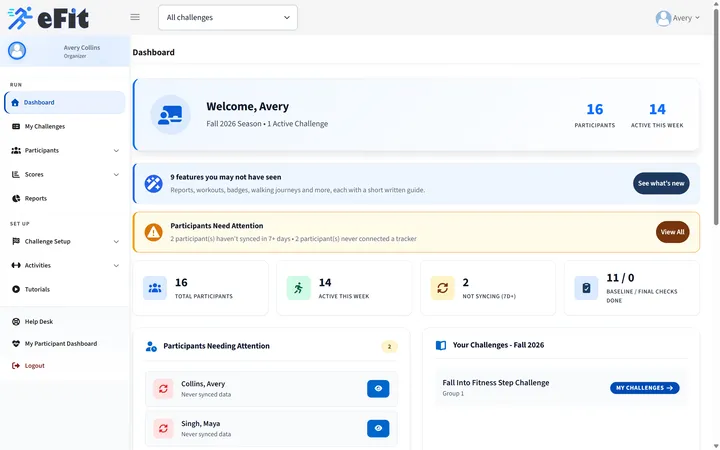
Organizer view
- See who is active this week and who has stopped syncing for 7 days or more.
- Follow every participant's Activity Score, reports and Walking Journey.
- Check dates, scoring and fitness checks on the Challenge Readiness page.
-
For everyone taking part
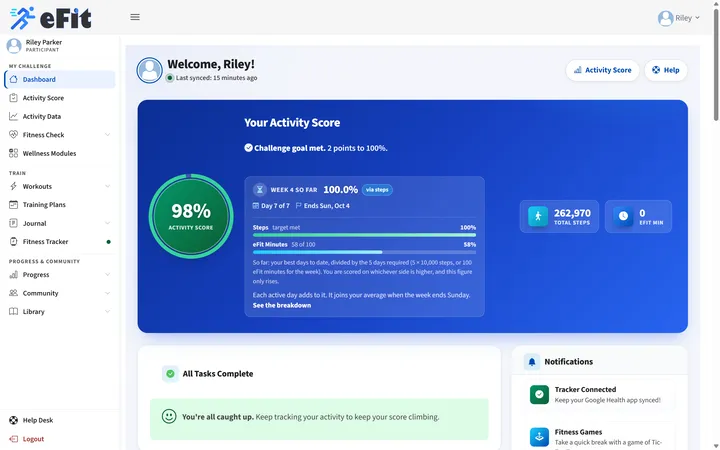
Participant view
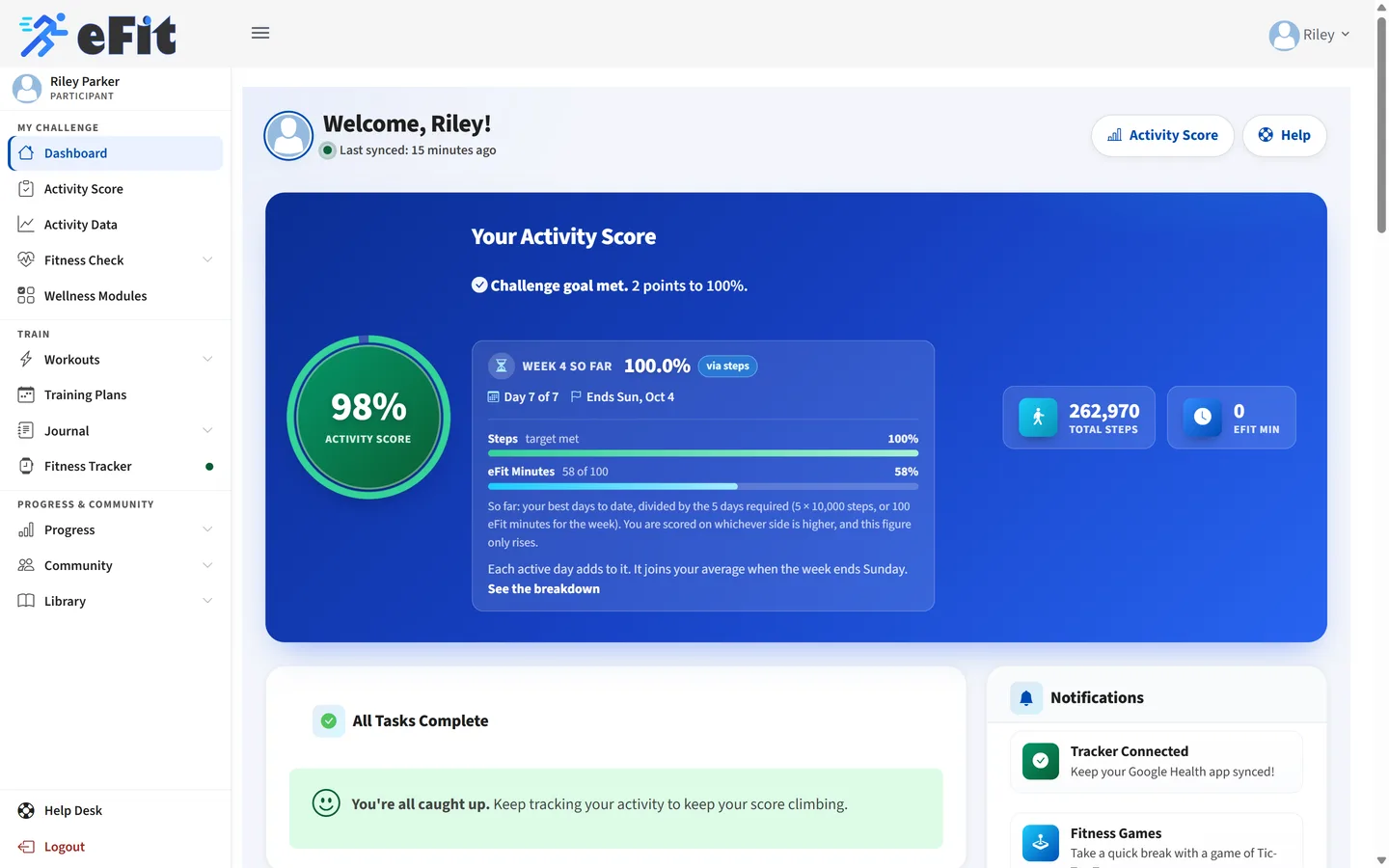
- An Activity Score measured against the 70% challenge goal, updated every day.
- A Walking Journey from Harborview Office to Big Bend National Park.
- Badges, the challenge leaderboard and AI training plans.
Good to know: the demo is shared and resets every night. Everyone in it is fictional, so please do not enter personal information. Starting the demo signs you out of any eFit account open in this browser.
Product tour
Short on time? Watch the tour.
A narrated, captioned walkthrough of the same screens in about a minute. Everyone shown is fictional.
Inside the demo
Four things to try in five minutes
-
Read an Activity Score
Each week is scored against a set target, here 10,000 steps on five days or 100 eFit minutes, so a steady walker can reach the 70% challenge goal without out-walking anyone.
Participant view: Dashboard, then Activity Score
-
Follow the Walking Journey
Everyday steps move each participant along a real route, here Harborview Office to Big Bend National Park, with milestone messages along the way.
Participant view: Progress, then Walking Journey
-
Spot who needs a nudge
The organizer dashboard flags anyone who has not synced in 7 days or never connected a tracker, so you know whom to encourage.
Organizer view: Dashboard
-
Run the readiness check
Before launch, one page confirms tracking dates, the scoring scale and fitness checks are in place.
Organizer view: Challenge Setup, then Challenge Readiness
Frequently asked questions
Questions about the demo.
Have a different question? Tell us about your group and we will help map the right challenge.
Email support@efit.healthDo I need to sign up to try the demo?
No. Choose the organizer or the participant view and you are inside a working challenge with one click. There is no email, password or payment step.
Is the data in the demo real?
Every person and organization in the demo is fictional. Their steps and active minutes are generated to look like a real challenge in week 4 of 8, and everything resets each night.
What is turned off in the demo?
Email, account changes, tracker connections, payments, the journal and the site-wide community are turned off. The AI training plan and workout tools work with a small shared allowance.
Can other visitors see what I change?
Yes. Each demo organization is shared by everyone trying it, so changes stay visible to other visitors until the nightly reset. Please do not enter personal information.
How much does a real eFit challenge cost?
Organizations can pay $12 per participant on a single invoice, or participants can register individually for $25. Email us and we will set up your challenge, groups and sign-up link with you.
Which trackers work with eFit?
eFit receives steps and active minutes through Google Health, which collects data from phones and many popular tracker apps. Participants connect once and their activity syncs every day.
Start the conversation
Like what you see?
Tell us about your group and when you would like to start. We will set up your challenge, groups and sign-up link with you.